


In instructional design, your portfolio usually does more of the talking than your résumé.
In a 2024 survey of 101 instructional design hiring managers...
-
72% ranked the portfolio among their top three hiring factors
-
25% required one outright
-
Another 39% said it plays a significant role even when it isn't required
The good news: a strong portfolio doesn't need dozens of pieces or years of job experience. It needs a few well-chosen examples that show how you think.
Here's what to include, what hiring managers say they look for, the mistakes to avoid, and a checklist to use before you apply.
What Hiring Managers Look for First

When the surveyed hiring managers ranked what matters most in a portfolio, the top answer was the ability to solve real-world problems with instructional design. Ease of use and user experience came second. A beautiful module that doesn't solve a clear problem won't get you far.
In their own words:
- "I look for design statements that accompany portfolio work: the 'why' behind design decisions."
- "The consulting work the person did with SME or client is more critical to me than looking at a pretty finished product."
- "Showing breadth in a portfolio is important. Especially showing the impact on a learner."
Coding, on the other hand, is rarely required. Only about 6% of hiring managers looked for programming skills.
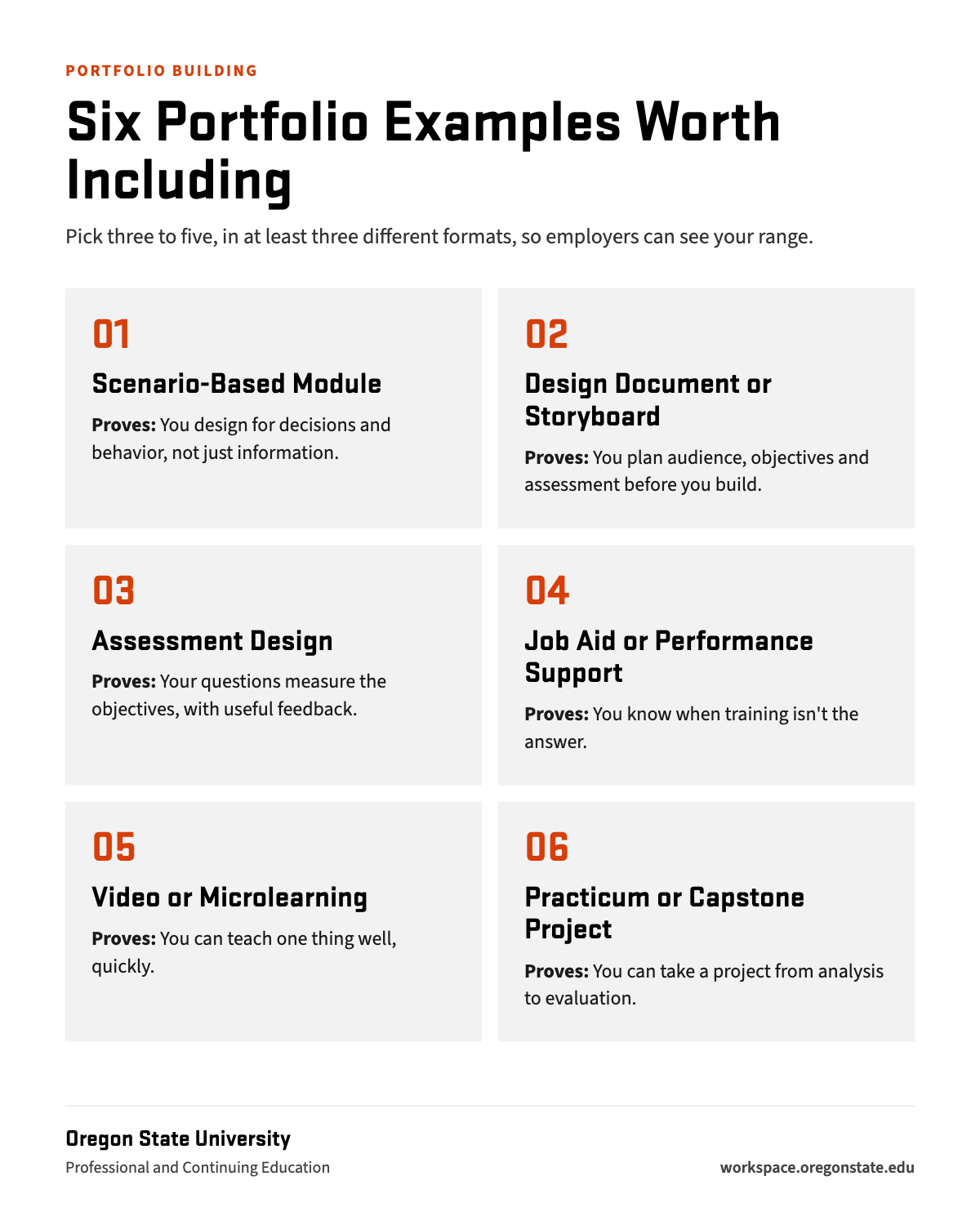
Six Portfolio Examples Worth Including
There's no official number, but most working designers recommend three to five strong, varied pieces. Pick from these six types so your portfolio shows range.
| Example | What it proves | A beginner-friendly idea |
|---|---|---|
| Scenario-based module | You can design for decisions and behavior, not just information | A branching customer-service or safety conversation with realistic consequences |
| Design document or storyboard | You can plan: audience, objectives, strategy and assessment before building | The plan behind your scenario module, cleaned up as a standalone sample |
| Assessment design | Your questions measure the objectives, with useful feedback | A short quiz with an objective-to-item map and feedback for each answer |
| Job aid or performance support | You know when training isn't the answer | A one-page checklist or quick-reference guide for a common task |
| Video or microlearning | You can teach one thing well, quickly | A two-minute screencast walking through one software task, with captions |
| Practicum or capstone project | You can take a project from analysis to evaluation for a real audience | A complete course, unit or training, with your evaluation plan and results |
Show Your Thinking, Not Just the Finished Product

For each piece, add a short write-up. A few paragraphs is plenty. Cover:
- The Problem: What wasn't working, and for whom? Name the business or performance goal, not just the topic.
- The Audience: Who the learners were and what they needed.
- Your Role: What you did yourself, especially on team projects. Hiring managers check this in interviews.
- Your Choices: Why this format, how your objectives line up with your assessment, and what theory or model guided you.
- The Result: What happened, or how you would measure it. If the project never launched, share your evaluation plan and feedback from a few test learners.
Make Every Piece Accessible

Accessibility is no longer a nice extra. Under the U.S. Department of Justice's ADA Title II web accessibility rule, state and local governments, including public universities, must meet WCAG 2.1
Level AA for their web content. Large public entities must comply by April 26, 2027, and smaller ones by April 26, 2028. Employers building training right now need designers who already know how.
For each portfolio piece, check keyboard navigation, alt text, captions or transcripts, color contrast of at least 4.5:1, and a logical reading and focus order.
Then test it with a screen reader. A one-line note such as "Built to WCAG 2.1 AA" shows you thought about it.
Common Portfolio Mistakes

- All one format. As one hiring manager put it, "If your portfolio is full of Rise projects, it's very hard to determine your level of skill."
- No design rationale. Without the "why," a reviewer can only judge how it looks.
- No problem or result. Topics like "Intro to Time Management" with no audience or goal read as exercises, not solutions.
- An unclear role. If others helped, say exactly what you did.
- Polish over substance. Strong visuals can't hide weak objectives or an assessment that doesn't match them.
- A hard-to-use site. Slow pages, broken links or samples that don't work on a phone undercut a portfolio about user experience.
How to Build Samples Without an Instructional Design Job

- Redesign something that exists. Take a dull compliance or onboarding training and rebuild it. Show the before and after, and explain what you changed.
- Volunteer for a nonprofit. Many organizations need volunteer training or onboarding materials and would welcome the help.
- Convert what you've already taught. Turn a workshop or professional development session into a self-paced module for adult learners.
- Use a practicum. A course practicum gives you a real project, a deadline and expert feedback, all at once.
Where to Host Your Portfolio
A simple website is enough. Free and low-cost website builders, Google Sites, or a personal domain all work. What matters is that each sample loads quickly, works on a phone, and is one click from your résumé. Put your portfolio link at the very top of your résumé.
Portfolio Readiness Checklist
Run through this list before you send your portfolio to an employer.
Evidence
- ☐ Three to five samples in at least three different formats
- ☐ Each sample names the problem, audience, your role, tools and timeline
- ☐ At least one workplace or adult-learning example
Design Rationale
- ☐ A short design statement for each piece explaining your choices
- ☐ Objectives clearly line up with assessments and activities
- ☐ At least one storyboard, design document or expert-interview note
Accessibility
- ☐ Keyboard navigation and a logical focus order
- ☐ Alt text, captions or transcripts, and 4.5:1 color contrast
- ☐ Tested with a screen reader
Evaluation Plan
- ☐ How you would measure reaction, learning and on-the-job behavior
- ☐ A business or performance metric the training should move
- ☐ Results or feedback from a few test learners, if you have them
The Site Itself
- ☐ Loads quickly and works on a phone
- ☐ No broken links or samples that require a login
- ☐ Portfolio link at the top of your résumé
Build Your Portfolio With Oregon State

Every course in Oregon State's E-Learning Instructional Design and Development Certificate produces work you can show: a design document or prototype, multimedia assets, a course prototype and project plan, and an assessment and evaluation plan.
It all comes together in the E-Learning Practicum, where you plan, design, develop and evaluate your own online course, unit or training.
The certificate is 100% online, about 3 to 6 hours a week, with feedback from experienced instructors along the way.
There's no application: take one course for $479, or all five for the certificate.
Frequently Asked Questions

How many projects should an instructional design portfolio have?
Most working designers recommend three to five strong, varied pieces. Quality and range matter more than quantity.
Can I include work from teaching?
Yes, especially if you reframe it in instructional design terms and explain your design choices. Adding at least one workplace or adult-learning example shows employers you can make the shift.
Do I need Articulate Storyline for my portfolio?
It helps: Storyline is the tool hiring managers most often want candidates to know. But a portfolio built entirely in one tool can work against you. Show a range of formats, and lead with your design thinking.
How do I show results if my project never launched?
Share your evaluation plan, the metric you would track, and feedback from a few test learners. Hiring managers want to see that you think about impact.