

The job market is more competitive than ever, and standing out often comes down to how clearly and strategically you present your skills.
That’s where digital badges and micro-credentials—like those offered by Oregon State University’s Professional and Continuing Education (PACE)—can give you a serious edge.
Whether you've completed a Technical Writing Certificate, earned an E-Learning Instructional Design Certificate, or received a digital badge from one of today’s top platforms, this guide shows you how to:
-
Understand the difference between badges and certificates (and when to use each)
-
Choose the best resume placement for your credentials
-
Make your achievements stand out to both hiring managers and AI-powered applicant tracking systems (ATS)
-
Share your learning on LinkedIn for maximum visibility
-
Avoid common formatting and relevance pitfalls
Plus, we’ll spotlight some of the most widely used badging platforms—like Credly, LinkedIn Learning, and Canvas Credentials/Badgr —and what makes each one unique.
In a market shaped by automation and digital validation, your credentials are more than just a footnote—they’re proof that you’re ready to deliver.
What Are Digital Badges and Micro-Credentials?

Digital badges and micro-credentials are short, focused learning achievements earned through professional courses or programs.
Unlike a traditional degree, they’re:
- Visual – Often displayed as icons or emblems.
- Verifiable – Linked to metadata (issuer, date, criteria) with clickable URLs.
- Specialized – Highlight specific skills like UX writing, project management, or instructional design.
They’re issued by trusted institutions—such as Oregon State University and increasingly recognized by employers looking for candidates who can hit the ground running.
What’s the Difference Between a Digital Badge and a Digital Certificate?

While they’re both forms of verified digital credentials, badges and certificates serve slightly different purposes and formats. Understanding the difference can help you decide how to best showcase your learning achievements.
| Feature | Digital Certificate | Digital Badge |
|---|---|---|
| Format | A digital replica of a traditional paper certificate (often in PDF form) | A small, embeddable visual icon that links to metadata |
| Purpose | Formal documentation of course/program completion | Easy-to-share proof of specific skills or competencies |
| Data Depth | Often includes detailed information like course modules, grades, hours completed | Includes metadata like issue date, skills earned, issuing body |
| Best For | Uploading to HR portals, attaching to job applications | Sharing on LinkedIn, email signatures, websites, digital portfolios |
| Visibility | Less portable, more formal | Highly portable, visually engaging, social-media friendly |
When to Use Each

Use a Digital Certificate when you’re applying to formal jobs or need to demonstrate a comprehensive credential (e.g. uploading to a hiring portal or printing for HR).
Use a Digital Badge when you want to boost your visibility online—add it to LinkedIn, embed it on your personal site, or even feature it in your email signature.
Many OSU PACE programs provide both: a printable certificate and a verified Credly badge—so you can choose the format that fits your audience.
Top Platforms for Digital Badges & Micro-Credentials
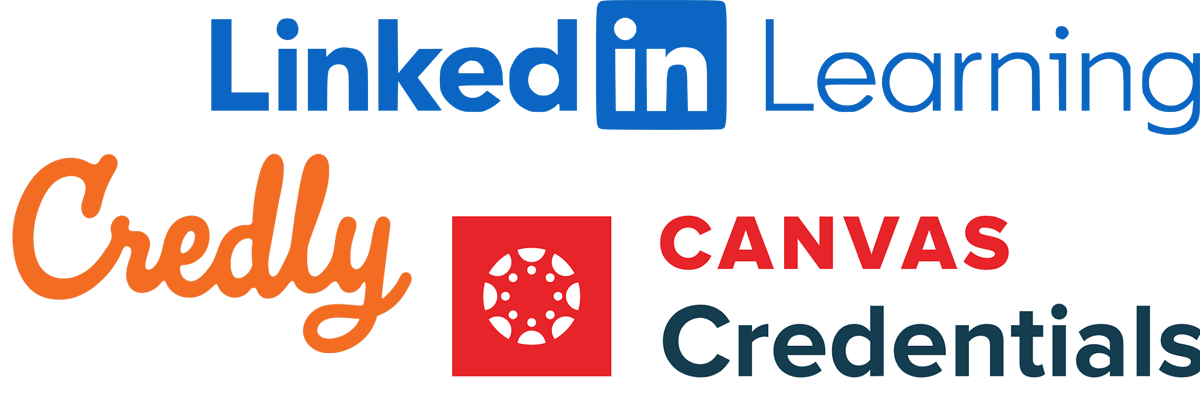
If you've earned a certificate or badge through a continuing education program—like those offered by OSU PACE—chances are it’s hosted on a badging platform that verifies and displays your achievement.
Here are the top platforms employers recognize and trust:
1. Credly (now part of Pearson)
-
Used by: IBM, Oracle, Amazon Web Services, OSU PACE
-
What makes it unique:
Credly is the gold standard for issuing verified digital badges. Each badge includes embedded metadata—like issue date, skills learned, and evidence of mastery—that employers can view by clicking the badge link. -
Great for: Professional certification programs and employer recognition.
2. LinkedIn Learning
-
Used by: Individuals and companies worldwide
-
What makes it unique:
Direct integration with your LinkedIn profile. After completing a course, you can immediately showcase it under the “Licenses & Certifications” section. -
Great for: Ongoing upskilling with easy social proof.
3. Canvas Credentials (Badgr Now Part of Concentric Sky / Instructure)
-
Used by: University of Washington, UC Davis, Mozilla Foundation
-
What makes it unique:
Badgr supports open badge standards and offers pathways—allowing institutions to stack multiple smaller credentials toward a larger goal. It integrates seamlessly with Canvas, making it ideal for academic and continuing education environments. -
Great for: Educational institutions and learners working toward stacked or tiered credentialing systems.
Why Employers Care About These Credentials

Hiring managers and AI resume scanners alike look for:
- Ongoing education – Certificates show you're committed to professional growth.
- Job-ready skills – Programs like OSU’s Technical Writing certificate build practical portfolios you can showcase.
- Credibility – Credentials from reputable institutions carry weight—especially when verified by a badge link or QR code.
According to a 2024 LinkedIn study, candidates who list relevant certifications are **30% more likely to receive interview callbacks.
How to Add Digital Certificates to Your Resume

1. Choose Relevant Credentials
Only list badges or certificates that align with the position. For instance:
“Technical Writing Certificate – Oregon State University, 2025” for a communications or editing role.
“E-Learning Instructional Design Certificate – Oregon State University, 2025” for roles in training, education, or HR.
2. Place Them Strategically
Certifications Section (most common):
Certifications
Technical Writing Certificate
Oregon State University (PACE) | Completed April 2025
Credential ID: [Link to badge]
Skills Section (when the badge reinforces a specific skill):
- Skills
- Instructional Design (Certified – OSU PACE)
- UX Writing (Credentialed – OSU PACE)
Summary Section: Detail-oriented writer with a Technical Writing Certificate from OSU PACE and experience building content for diverse audiences.
3. Use Keywords from Job Descriptions
Many employers use ATS (Applicant Tracking Systems) to filter resumes.
Align your credentials with language in the job listing:
- Instead of: “Completed writing course"
- Use: “Technical Writing Certificate – UX documentation, plain language, and usability-focused content”
How to Add Certificates to LinkedIn (Step-by-Step)

LinkedIn is where recruiters validate your claims—so don’t skip this step.
To add a badge or certificate:
1. Go to your LinkedIn profile
2. Scroll to the Licenses & Certifications section
3. Click the +
4. Fill in:
- Name: Technical Writing Certificate
- Issuing Organization: Oregon State University – PACE
- Issue Date: (e.g., April 2025)
- Credential ID (optional)
- Credential URL: (Insert your badge link from Credly or PACE platform)
Bonus Tip:
If your program gave you a Credly badge, link directly to it. These links show proof of completion and learning outcomes.
Common Mistakes to Avoid
Final Thoughts: Why It Matters

Including a certificate or badge from a reputable program—like OSU's Professional and Continuing Education does more than prove you took a course.
It shows:
- You invest in your growth
- You understand industry needs
- You’re prepared to contribute right away
In today’s market, where algorithms often scan resumes before humans do, credentials backed by strong metadata and aligned keywords can help get your resume into the “yes” pile.
Need Help?
For personalized advice on showcasing your OSU certificate, you can email our helpdesk at pace@oregonstate.edu.
Or explore more digital badge programs: OSU Continuing Education Digital Certificates & Badges